












www.farmboyzimsflightsims.com
FBZFS

Most Pictures Are Clickable For A Larger View And Will Open In A Seperate Window
Thanks For The Visit !

Caravan
The Workhorse of the Skies
Just Flight and feelThere.com
Review by Farmboyzim
The Workhorse of the Skies
Just Flight and feelThere.com
Review by Farmboyzim
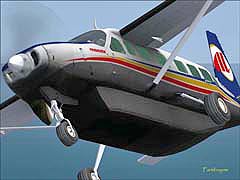
You know, I have to be honest, after "learning to fly" the Concorde and the 707 "by the book" (which I keep handy at all times!), flying the Cessna Caravan was, how shall I describe this...Relaxing! An uncomplicated, yet reliably effective aircraft, the Caravan is brought to us by Just Flight and feelThere Products, along with Wilco Publishing.
So once again the question is asked, "Why do I need another Caravan? MSFS 2004 already has one loaded up and ready to go!" If you've bought add on aircraft in the past, the answer is obvious. However, if you're new to MSFS 2004, and have never purchased an add on aircraft, you may be in the "download dark"! Let me turn on some landing lights for you!
So once again the question is asked, "Why do I need another Caravan? MSFS 2004 already has one loaded up and ready to go!" If you've bought add on aircraft in the past, the answer is obvious. However, if you're new to MSFS 2004, and have never purchased an add on aircraft, you may be in the "download dark"! Let me turn on some landing lights for you!
Microsoft has done a great job, putting together MSFS 2004, A Century of Flight, and in so publishing their product, they were gracious enough to allow their product to be made in such a way that "third parties", i.e., developers of add ons, could come up with their own additional aircraft, scenery, and utilities, both freeware and payware, to enhance the already very popular and extremely enjoyable MSFS 2004. In essence, they got the "ball rolling", and sort of stepped back and watched as the public went to work on tweaking, twisting and turning MSFS 2004 into a product that has spawned an entire add on industry! They had done a fine job with the default aircraft, making them look as real as possible at that time, even though this was a period not so long ago! But as time marched on, so did the technology in the computer industry and so do the advances in the development of Flight Simulation, both at an astonishing pace.
The default aircraft are fine to get started with, but there is a kind of generic quality about them that comes to be redundant after a time. Now, I surely do appreciate what the folks have done with MSFS 2004, for I have been trying to "self-teach" myself to use the gmax utility that comes installed on disc 1 of the four installation discs of MSFS 2004 for creating aircraft. Surprised it's there? Check it out! There's even a really decent, simple tutorial to get you started! This is truly where I came upon a renewed and deeper respect for those that create these aircraft and other add ons!
The default aircraft are fine to get started with, but there is a kind of generic quality about them that comes to be redundant after a time. Now, I surely do appreciate what the folks have done with MSFS 2004, for I have been trying to "self-teach" myself to use the gmax utility that comes installed on disc 1 of the four installation discs of MSFS 2004 for creating aircraft. Surprised it's there? Check it out! There's even a really decent, simple tutorial to get you started! This is truly where I came upon a renewed and deeper respect for those that create these aircraft and other add ons!
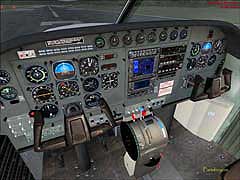
The realistic detailing goes not only into the looks of the aircraft, but also into the avionics and flight dynamics. The images on the left are those of the default Cessna Caravan that comes with MSFS 2004. The images on the right are those of the Caravan from Just Flight. It's obvious that the Just Flight Caravan not only has a more realistic panel configuration, but the avionics are extremely close to what you'd find in the real Caravan.
I know that you don't buy these add ons to park yourself in the back seat, and watch the clouds go by! No, you want to "fly" something that's as close as possible to what it would be like if you were actually flying. BUT, it is kind of neat to pop it into auto pilot, and go into VC mode, and "control+enter" your behind into a
I know that you don't buy these add ons to park yourself in the back seat, and watch the clouds go by! No, you want to "fly" something that's as close as possible to what it would be like if you were actually flying. BUT, it is kind of neat to pop it into auto pilot, and go into VC mode, and "control+enter" your behind into a
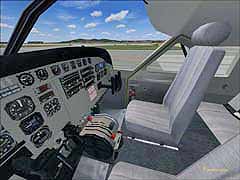
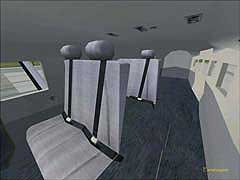
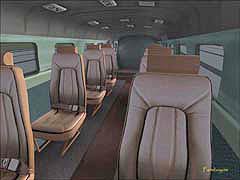
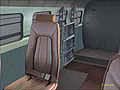
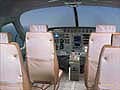
soft "virtual seat", request a cocktail, and enjoy the ride! Some of these trips can be brutally long! The interior on the left reminds me of what I sat in when I hopped across the Pacific in the tail end of some military plane from MATS. Can't remember the aircraft, might have been a Galaxy, but I remember the seats! I would have preferred the accommodations in the image on the right (but I was just glad to be on that plane)! You can plainly see the extra detail that went into the Just Flight Caravan. VERY nice!
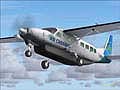
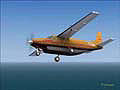
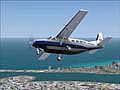
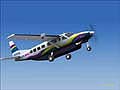
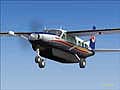
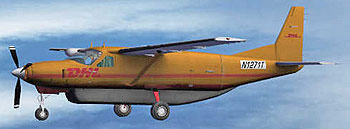
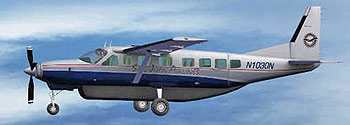
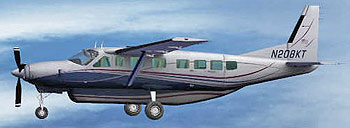
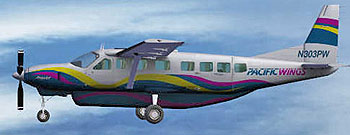
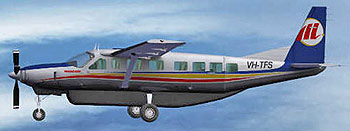
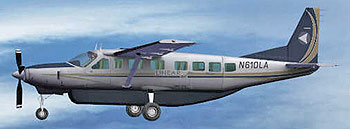
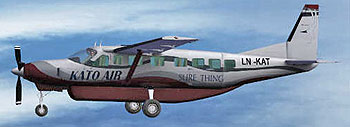
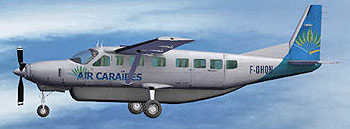
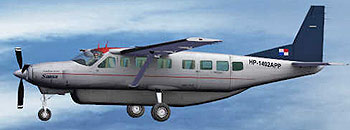
The liveries are a bit limited with the default aircraft. With the Just Flight Caravan, you get a host of liveries, where the paint jobs are just as detailed as the interior! Ten liveries come with this product, and more are downloadable from the Just Flight Website. Here's a peek at them:
The liveries are a bit limited with the default aircraft. With the Just Flight Caravan, you get a host of liveries, where the paint jobs are just as detailed as the interior! Ten liveries come with this product, and more are downloadable from the Just Flight Website. Here's a peek at them:
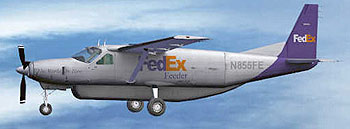
FedEx
DHL
San Juan Airlines
Passenger Version
Pacific Wings
Macair
Linear
Kato Air
Air Caraibes
Sansa
This is just a handful of the airlines that utilize the Cessna Caravan. As you can see, there are many that use the Caravan. The Caravan is an ideal aircraft to use as an "air taxi", shuttling passengers to larger hubs, and it it's also ideal for cargo handling, having a large load capacity and short field take off and landing capability. The Caravan has a low take off speed, 85 - 95 knots, no flaps, under normal conditions. On a short take off procedure, lowering flaps to 20 will get you off the ground at around 82 knots. Depending on the prevailing conditions, a cruise climb rate of 90 - 125 knots can be expected. Not bad for a single prop with a load.
The flight dynamics and versatility of this aircraft in the real world make this one of the most popular aircraft for domestic type operations and for getting loads of cargo or people into places where smaller GA planes usually call home, but are unable to carry the larger payloads. Island hopping, mountain flying, landing on short strips in the jungles of the Amazon, you name it and I believe that the Caravan can handle it! As stated in the User Manual, "Every month, more than 1500 Caravans log more than 71,000 hours". Most of these hours were logged flying freight to the far corners of the world.
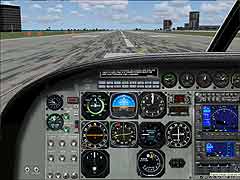
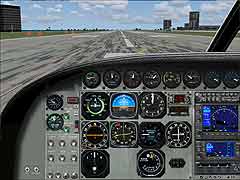
The 2D panels, as well as the VC panels are clearly rendered, easily read, and mostly workable. The 2D view offers you 2 different views of the panel. There is a bit of eye candy on the panels and side panels, but not excessive. For the most part, everything that you would need to "fly" this aircraft can be clicked, switched, or turned. Some of the functions in the VC mode will not operate unless you're in the default VC position. Just hit your space bar and you'll pop back to that position. This aircraft comes equipped with something that's not found in smaller planes, and that's a radar altimeter. This gives you the altitude above the ground (AGL - Above Ground Level) of your aircraft, not the MSL (Mean Sea Level). A very handy piece of avionics for flying in poor visibility conditions.
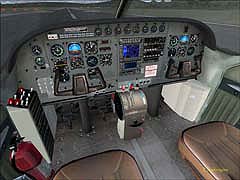

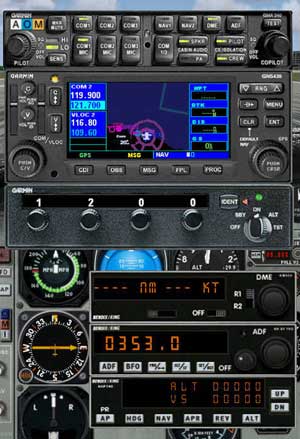
Other avionics that come with the Cessna Caravan are the Garmin 530 GPS system, which is a stand alone, pop up panel, the Garmin GMA Audio Panel, the Garmin GNS 430 navigation system, and the Garmin GTX 320 Transponder, all of which are easy to use and are explained in a short and sweet method in the Printed Manual that comes with the product. The developers wanted to make all functions as close as possible to the real thing, and have done a superb job in this task! Clicking the "Radio Stack" button will bring up the panel that displays all these avionics except for the Garmin 530 GPS unit, which is toggled in the standard way from the tool button bar or by clicking on the panel. The 530 has the added function of displaying the comm and nav aid info also, something the default Caravan does not have.
You should already have a pretty good working knowledge of these systems already from the aircraft in MSFS 2004, so there shouldn't be any problems navigating your way around in the cockpit of the Just Flight Caravan. You just have a few more options at your command which enhances the realism of the sim even further! In trying to keep the Manual that comes with the product as concise and helpful as possible, a few assumptions are made on the part of the developer, such as how to operate and tune a frequency for a navaid, functions of buttons on the panels and how to set and use the autopilot. I'd have to agree with their philosophy of not writing a "novel" on how to operate the Caravan. The manual addresses all the necessary points in a well written manner. Besides, this is an easy aircraft to figure out, which makes this the perfect add on for those out there who are new to simming.
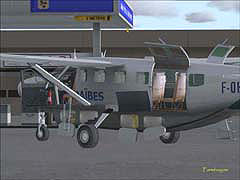
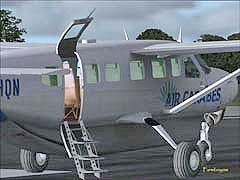
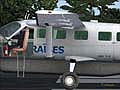
Some typical, but still pretty neat effects include opening hatches. The fold out ladder is pretty cool to watch too! If you've read some of my earlier reviews, you'll already know that I like the "gadgets". How does that saying go? "Simple things, simple minds..." No, wait a minute, that's not it! There is, though, nothing "simple" about creating these effects. These are testaments to detail!
The Manual is 28 pages, and it covers everything from install to checklists. Graphics are depicted with labels identifying functions, but they don't go into detail on the functions themselves. For newcomers, you'll find a handy Main Instrument Panel graphic, numerically labeled, with names of instruments and gauges on the facing page, so you don't have to flip back and forth for referencing. Other avionics are portrayed similarly. General Specifications, Limitations, Procedures and checklists are all concise and to the point. No hours of study to fly this aircraft!
Other extras include a 30 minute video on the installation disc of a flight with Sansa Airlines. Sansa is based in Costa Rica and runs a daily domestic service. The flight is from San Jose to Tamarindo, and is narrated by the crew. They cover the normal operations, instruments, and checklists.
A Paint Kit is also included so that you may create your own liveries. These files are in PSD format, so you'll need Photoshop or something like PaintShopPro to do the work. Create your own fleet and let others enjoy your work by uploading to their site.
This has been a very enjoyable and RELAXING aircraft to fly!
For $ 29.99 / £ 19.99 / € 29.95 this would be a great add on for new simmers since it's a familiar aircraft to you already, only with better detail and realistic
A Paint Kit is also included so that you may create your own liveries. These files are in PSD format, so you'll need Photoshop or something like PaintShopPro to do the work. Create your own fleet and let others enjoy your work by uploading to their site.
This has been a very enjoyable and RELAXING aircraft to fly!
For $ 29.99 / £ 19.99 / € 29.95 this would be a great add on for new simmers since it's a familiar aircraft to you already, only with better detail and realistic
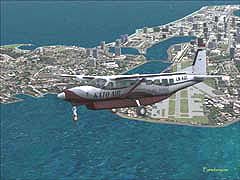
dynamics, and the experienced simmer will enjoy the challenges that this aircraft can take on. Try some "supply" flights to airstrips where you can stand at one end and spit and hit the other end! A bit of an exaggeration, but I think you know what I mean! I definitely recommend this product for everyone!
For more information on this and other Just flight Products, visit them at www.justflight.com
Click Picture For Larger View