

www.farmboyzimsflightsims.com
FBZFS
Click On Any Picture For A Larger View
Thanks For The Visit !
A while back, while surfing some of the "other" flight sim sites, I read the press release for a new mesh enhancement of New Zealand, by a company called Red Baron Entertainment. I admit that this was the first that I had heard of these folks, so I headed over their way. Being fond of the mountainous terrain and the challenges it affords to sim flying, I had already flown a number of hours in New Zealand, and granted, the default terrain isn't exactly, well, exact, it was enjoyable to fly in. Then I took a look at some of the screen shots on the RBE site, and knew instantly that this was something that I had to check out. With the haste that my wife wishes I would show for some of my chores, I fired off an email to the folks at RBE, and asked if they would like a review. They very graciously sent a copy of Mountains of New Zealand to me for review. I have to tell you that between my flying in Alaska and New Zealand, I haven't seen a patch of flat ground in ages! Well that's a bit of an exaggeration, but with this product, the opportunities to loose oneself in amongst the mountains and valleys are an extremely easy thing to do!
Flight Simming has opened up virtual doors to the world for those that don't have the opportunity to actually visit all the faraway


System Requirements
The following system components are recommended to achieve acceptable frame rates:
CPU: Pentium IV 2 GHz processor or equivalent
system memory: 512 MB RAM
graphics: Medium level 3D video card with 64 MB RAM (e.g. Nvidia Geforce Ti 4)
storage: 550 MB of uncompressed hard disk space
When you pop the disc in for installation, your Auto-play should start up the process. On the initial screen you will see options to view the PDF Manuals, which you HAVE to do before inatall. There's nothing complicated about the installation, but there are some steps that must be performed, namely, some settings in your fs9.cfg file. This is done so as to take full advantage of the mesh and topo addon. If you've never "explored" the fs9.cfg file, you'll come away feeling a bit more confident in yourself as far as opening up those mysterious files within the realms of MSFS 2004!
After the changes are made, you'll be promted to save, say yes, and ouila! You're almost ready to explore NZ! One more step! Open up MSFS 2004, go to the Settings, open Scenery, and add the new product. They will show how this is done as well. All instructions are very easy to follow, and you should have no problem with it at all. Everything took about half an hour to install, and that includes the reading of the manuals, so in my opinion, that's not bad at all! One more thing...Even if there are backups automatically made of files when installations are performed, I tend to make sure that they are, and if there is any doubt, backup the fs9.cfg file, or whatever file you may be changing in any install.
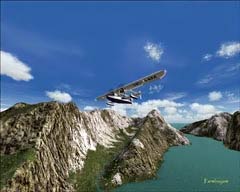
lands that one wants to. New Zealand is one of those places for me. My knowledge of New Zealand has been limited to knowing that they have a top notch Rugby Club, the All Black's (an old scrummer here!), it was in the south Pacific, and that it was a beautiful country from the pictures I had seen. In the sim, it is beautiful as well. Let's not forget the movie Lord of the Rings, having been filmed there. A perfect region for a fantasy adventure!
New Zealand is a country that is made up of two main islands and loads of smaller islands. The country is all by itself out there in the middle of the ocean, Australia being over 1250 miles away. The closest neighbors would be the islands of New Caledonia, Fiji, and Tonga. Most of the population is of European descent, with the native Maori people making up the largest minority.
This is a land that offers so much for the eyes to behold that you could fly exclusively in this region and never be bored, as there's so much diverse terrain. New Zealand offers 103,738 sq miles of land to explore. Of the two islands, the southern island is the largest and is split in two down its length by the Southern Alps. Mount Cook is the tallest peak in this range and stands 12,316 feet tall. Eighteen peaks in this range are over 9,800 feet. The northern island is less mountainous, but volcanoes have had their hand in shaping this island. New Zealand is part of a continent that is 93% submerged. Too bad if you owned beachfront property a few million years ago! The Earth has done some serious shaping in this area, making it one of the most unique regions on the Earth. As I flew around the country, it occurred to me that it must have been a monumental job creating this package, and one's like it.
First off, for those of you who aren't sure what "terrain mesh" is, let me explain. Terrain Mesh is what gives shape to the surface of the virtual world in MSFS. Depending on the resolution of the mesh, i.e. 20 meters versus 90 meters of surface area covered per pixel, the shapes can be dramatically improved and seem more realistic with more depth. On that resolution item above, just imagine if you will one pixel on your screen. Now, if you take an area of land that measures 90 meters by 90 meters, you have a large bit of real estate taking up that pixel, so only so much detail can be packed into it. If you take just a 20 meter by 20 meter chunk of land and pop it into a pixel, there's less "information" that the pixel has to display, therefore, more detail can be achieved. This is a very simplistic way of explaining it, as I'm no tech wiz, but it's basic resolution stuff, just like what your monitor uses.
Where do they get the information from for all the terrain characteristics? SRTM means "Shuttle Radar Topography Mission",
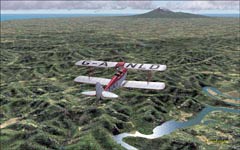
The team at RBE has done and exceptional job with this product. The attention to the finest of details can easily be seen. From small canyons to towering volcanic mountain peaks, the effort to make an outstanding add on is apparent. The entire country is covered with this mesh enhancement, with no mountain or valley left untouched. You also won't see any "bottomless pits" or terrain spikes. I recall seeing some spikes and pits in the Peruvian region. I flew into the pit for the heck of it and it was like something out of the Twilight Zone! I flew a number of different types of aircraft, at speeds from 80 knots to Mach plus, and the loading of the terrain mesh went very smoothly. This of course depends on your particular system, but at the time, I was running a card with 128 Mb of memory, and everything looked great with that system. I have since upgraded to a 512 Mb card, and with the settings torqued up in the Display Settings dialog box, this region was nothing less than jaw-dropping!
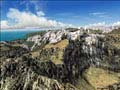
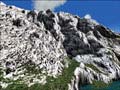
and it is from this data that the astronauts collect while orbiting the earth, which the developers use to achieve the enhanced terrain that we can virtually fly in, in MSFS. Most freely available mesh addons utilize 90 meter resolution, but with the 20 meter, you get approximately 3 and a half times more detail. That's considerable, to say the least. So when you're looking at the screenshots, the results of this mesh product are really quite obvious and an immense improvement over how the default terrain is shaped in MSFS. What you're seeing are crisper, more detailed mountains, peaks, valleys, and hills. Remember the "polygon" days of yesteryear? Everything else, the trees, bushes, and ground textures are a separate entity, and have nothing to do with the shape of the terrain.
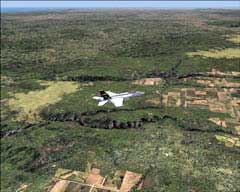
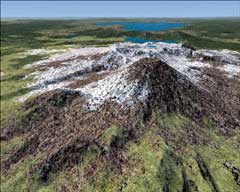
The data for this product was licensed from GeographX Ltd. The accuracy of the data is within 10 to 20 meters over the entire area. Testimonials to the product from professional sources such as air rescue teams and flight training institutions state that the product is so accurate that they use it for training purposes. That's a pretty good recommendation I would say! The challenges that the country of New Zealand has to offer to the flight simmer are countless! This is Bush Flying at its best!
There are two versions of Mountains of New Zealand that are available. Mountains of New Zealand, the full product, has the 20 meter resolution and significantly enhances the terrain. You really get a great sense of depth and 3D. The mountains are just awesome. Not only are the mountains and valleys enhanced, but the subtler, rolling hills are more defined and realistic looking.
Mountains of New Zealand Light is the free version and has a resolution of 75 meters. You'll see enough of a difference by using the light version that you'll probably go ahead and kick out for the full version. I'm going to guess that you'll end up with the full version anyway! Both versions are compatible with FSX also, which is a big plus, since just about everyone has one or the other.
Since this product package deals only with the terrain mesh, they have another product that will enhance the roads and rivers also, and it just so happens to be called Roads and Rivers of New Zealand. I can only hope that the folks at RBE will allow me to review that product as well! The reason the two are separate is to keep the cost of the products down to a reasonable price, making it possible for those that just want one or the other of the products. It's always nice to have a choice!
Before I wrap up the review, I snatched a testimonial from a user of MSFS with the terrain mesh enhancement, and it comes from someone that just might know what they're talking about...
"We use the Red Baron Entertainment NZ scenery from GeographX Ltd in the Auckland Rescue Helicopter Trust helicopter simulator. It enables us to accurately fly ‘virtually’ to any destination in our operational area, and know that the coastlines, mountains, lakes, roads and even power pylons are in the correct place. This is extremely useful in training for real life situations, where the terrain might otherwise only be known by reference to two dimensional maps. We are currently trialing use of the very accurate mesh as a preflight aid to real missions, again as a means of gaining knowledge literally of the lay-of-the-land. Great technology."
Dave Walley, Chief Pilot - Check and Training, Westpac Rescue Helicopter Trust
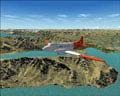
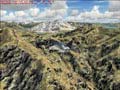
This has been a wonderful addition to my sim experience! I found so many valleys and mountains to explore that I still have quite a bit of flying in the area to do. So far, my favorite spot would have to be Milford Sound, which is nestled in a valley just inland from the coast a bit, on the southern island. I'll take off, cruise down the valley, come to a box canyon, wheel the chopper around and head off to check out another. I'm simply not getting tired of it! My other spot that I enjoy visiting, as it even looked good with the default mesh, is the area around Queenstown, also on the southern island. Here is where I seen my first dramatic difference in areas that are not just tall mountains. Take a flight out of Queenstown, New Zealand with the default mesh, and what you will see at the beginning of runway 5 is a pretty sheer cliff that you would not want to meet on an approach in the dark! With the enhanced terrain mesh, what you see is a more gradual slope, with the airfield area being built up. It looks a little less imposing. I suppose I enjoy these two regions because of their mountainous terrain.
I can't imagine anyone not liking this product, except for the flatland folks, who like seeing the great open sky all the way around. But for me, break it up with some mountains, valleys, and some beautiful coastlines, and I'm in virtual simulation heaven! It's time to let the screenshots of this beautiful region speak for themselves. All in all, an outstanding product that worked well, with no hitches, and continues to entertain! Well done Red Baron!!! If you happen to be interested in this or other products that these folks have developed, I would certainly recommend giving their site a look see, it's well worth your time! Visit them at www.redbarent.com for all pricing and ordering info.
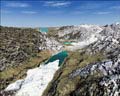
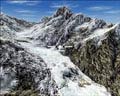
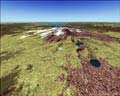
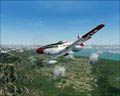
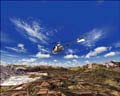
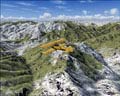
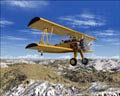
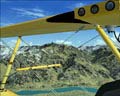
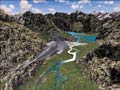
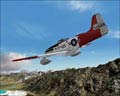
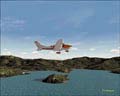
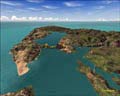
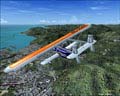
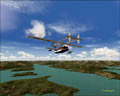
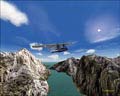
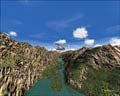
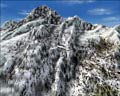
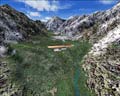
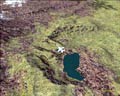
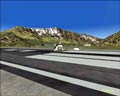
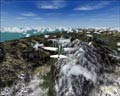
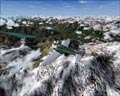
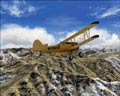
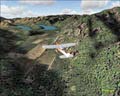
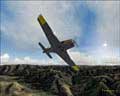
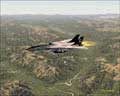
On to the screenshots! I know there's a few, I just couldn't help myself!
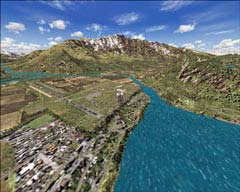
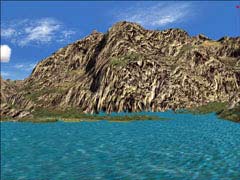
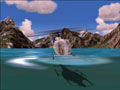
Milford Sound NZMF
Queenstown NZQN
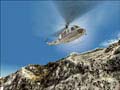
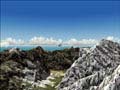
Mountains of New Zealand & Roads and Rivers of NZ
Terrain Mesh Enhancement from Red Baron Entertainment
By Farmboyzim


